
Douglas County Weekly Arrest Log
Start with the sheriff's own hub. The Douglas County Sheriff's Office posts a Daily Reports doorway. It opens onto a viewer sorted by date and category. DCSO says each Daily Arrest report covers the prior day. No single seven-day document exists. Building a weekly view means selecting each date you need. The viewer keeps roughly 45 days of reports online before older files drop away. Working backward across dated reports also lets you preserve the exact PDF title for each day. Weekends are included in that sweep. That is the method's real strength. It cannot tell you who remains at LEADC, though. A person may have bonded out, transferred, or otherwise left the county jail after the report date.
Browse Douglas Arrest Reports by Date
Day-to-day browsing happens in the DCSO report viewer. It sorts files into Daily Arrests, Daily Headcount, Daily Calls for Service, and Daily Bond. Confirm the category before opening anything, because headcount measures jail population, calls describe dispatch activity, and bond files track a different stage. None of them substitutes for an arrest report.
- Enter through the Sheriff’s Daily Reports page.
- Open the linked report viewer.
- Select the arrest-report category and desired date.
- Save the report title, date, and official PDF address.
- Move backward one date at a time for the full period.
- Check current custody separately when needed.
The official viewer interface illustrates that category-and-date structure.
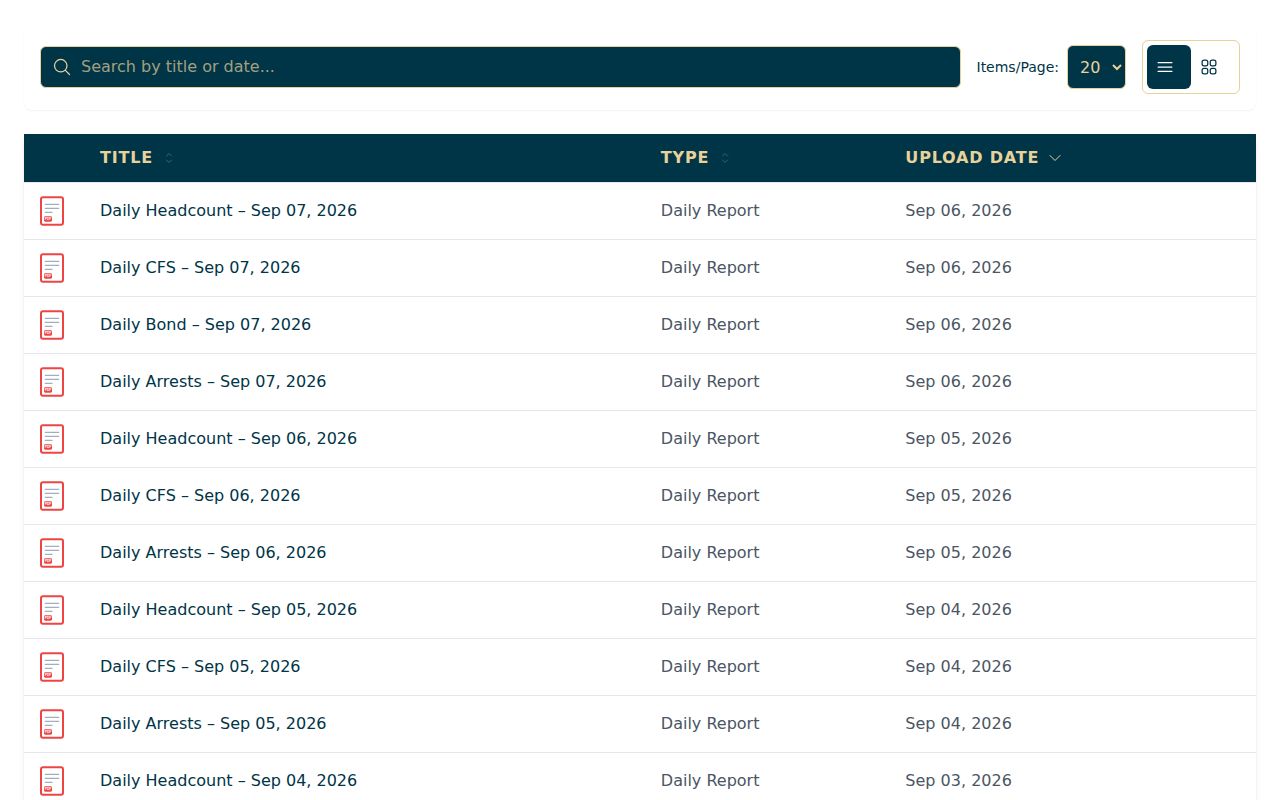
Treat this list as a map, not the territory. Available dates shift as the online window rolls forward, so always check the current viewer.
Douglas Arrest Log Entry Fields
The official PDF is the most reliable field source. Indexed examples and the Records Division description support these field details. Any single report may leave a field blank. Copy wording exactly, and remember that arrest time, booking completion, and publication time mark three different moments.
| Field | Reading caution |
|---|---|
| Full name | Compare another official identifier before assuming a match. |
| Arrest date or time | The PDF usually appears the next day. |
| Arresting agency | The city agency may own the incident file. |
| Arresting officer | An administrative entry, not a case outcome. |
| Booked charge or code | An charge that can change in court. |
| Bond information | Status may change after the report is made. |
| Booking identifier | Use the exact number if the report provides it. |
This report path includes no public mugshot gallery. Any booking photo sits behind the sheriff's records process and O.C.G.A. § 35-1-19. Unofficial face cards do not count as Douglas County log entries.
Weekend Douglas Arrest Reports
Weekend dates do appear in the viewer. DCSO publishes no special weekend or holiday timetable, though. A pile of Monday uploads does not equal a crime surge. Report preparation, booking processing, and listing order can all explain the cluster. Count people only from the PDFs themselves. State the exact date span you used. One September report carried publication metadata from the day after its arrest date, which is context rather than a promised schedule. Refresh the viewer, check adjacent dates, and never assume a missing file means zero arrests.
Log Versus Douglas Jail Custody
A dated log and a live roster answer different questions. The log preserves the fact that an arrest was reported for a given period. The live Douglas County roster shows who sits in county custody right now. The two can disagree for good reasons. Someone may appear in a PDF after release, stay on the roster after a report ages out, or get booked today before tomorrow's report exists. Compare name, date, agency, booking identifier, and facility. Ask who made the arrest and which jail received the person for incidents in Douglasville, Villa Rica, or Austell. Austell straddles the Douglas-Cobb line. Multiagency operations may use another county's facility entirely. The Daily Arrest Report page covers immediate verification. The weekly log's job is different, reconstructing several published days and finding records after the viewer changes.
Douglas Bond and Headcount Reports
Daily Bond files can explain why a person's status shifts after booking. DCSO holds bond hearings in Courtroom 2. Sessions run at 9:00 a.m. Monday, Wednesday, and Friday, with 8:30 a.m. hearings Tuesday and Thursday. That schedule may explain a later roster change. Headcount reports show the jail population at one moment. Calls-for-service files cover agency activity, including incidents that never produced an arrest. Merging these categories into a master blotter would mislead. Keep the report type visible whenever you cite a total or event.
- Arrest report
- A dated list of prior-day arrests.
- Headcount
- A population measure, not a booking list.
- Bond report
- Bond data where DCSO makes it available.
- Disposition
- The court’s recorded outcome, found in the case file.
Douglas Arrest News Is Selective
Local news picks its cases. Douglasville Patch Crime & Safety runs story-based police and arrest coverage for Douglasville. It is not a complete daily list. The Douglas County Sentinel serves as the local legal organ. It posts no stable online arrest blotter. AllOnGeorgia's Douglas archive holds county news, not a current complete Douglas booking feed. RecentlyBooked, Arrests.org, and Mugshots.com run unofficial Douglas County collections. Entries can go missing, linger past their date, or carry the wrong photo. Check them against the DCSO report and the Clerk. For custody and charges, the official report still decides.
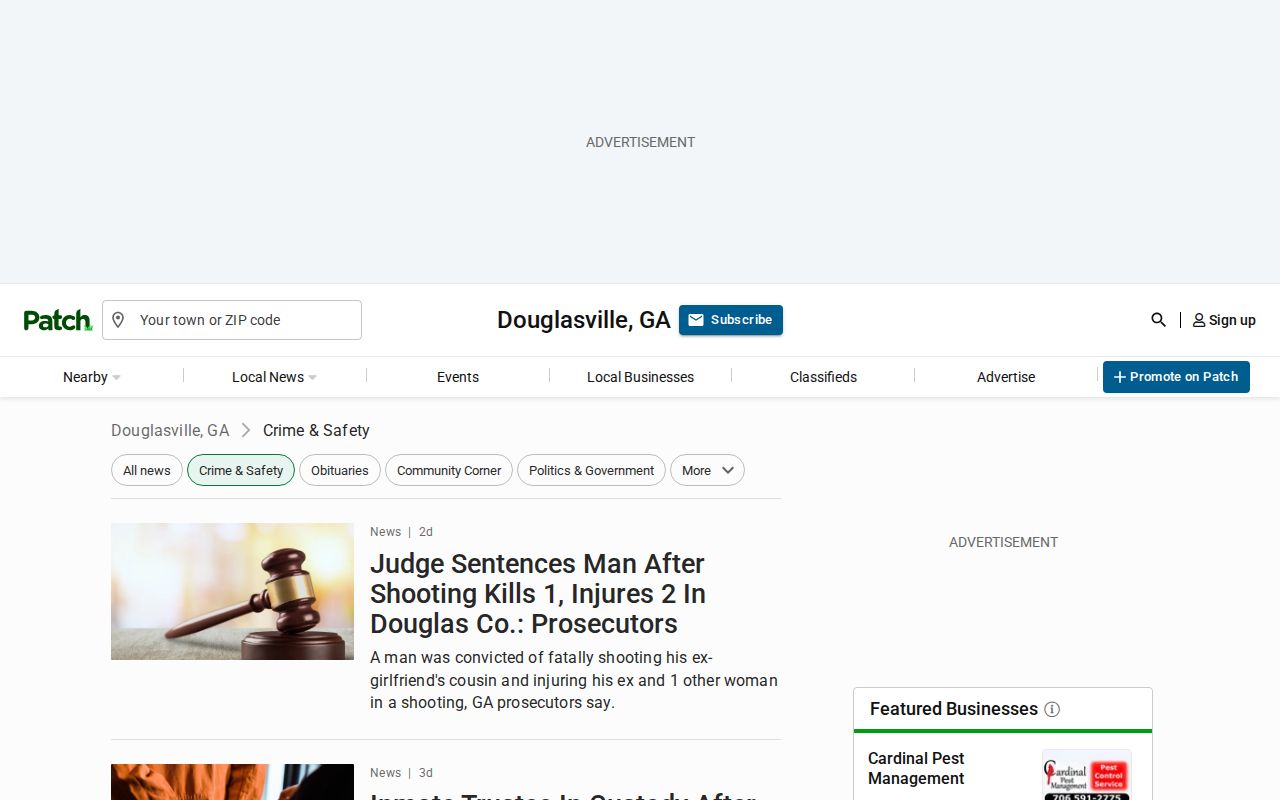
A story covers one case, not the whole county.
Recover Expired Douglas Arrest Logs
The 45-day setting on the online viewer is just a publication window. It does not mean the arrest log itself disappears. Under the Georgia Archives retention schedule, jail booking records must be kept for ten years after release, and jail registers stay on file for ten years after the final entry. Incarceration lists follow a tighter one-year schedule. Keep in mind that retention rules do not promise public access to every field or booking photo.
To pull an older Douglas County arrest record, write to DCSO Records. Include the person's name, the arrest date or a date range, and the exact document title, such as "Daily Arrest report." It helps to ask directly whether the office still holds the file, transferred it, restricted it, or lawfully destroyed it. Records staff answer mail at records@sheriff.douglas.ga.us and calls at 770-942-2121, Monday through Friday from 8:00 a.m. to 5:00 p.m.
Booking is only the start of the paper trail. To see how a case ended, run the name through the Douglas County court search in LAST NAME, FIRST NAME format. Separate systems track other kinds of custody: GDC for state prison, BOP for federal, and ICE for immigration holds.
Note: A PDF vanishing from the public viewer does not mean the Douglas County arrest record behind it was destroyed.
Search Public Records
Sponsored Results